Guide
Play a quiz as a Robot Race
Robot Race turns any set into a race that the whole room runs at once. Nobody waits for the next question: each student answers at their own speed, and every right answer runs their robot one metre down the track. Every third right answer wins a power-up, from a Turbo that jumps them forward to a Banana Peel or an Ice Block for a rival. The first robot across the finish line wins, or, in a timed race, whoever is furthest when the clock runs out. This guide follows one race from the settings to the report, on the room screen and on a player’s phone.
14 steps · about 5 min · written for a computer
Step 1: Choose Robot Race
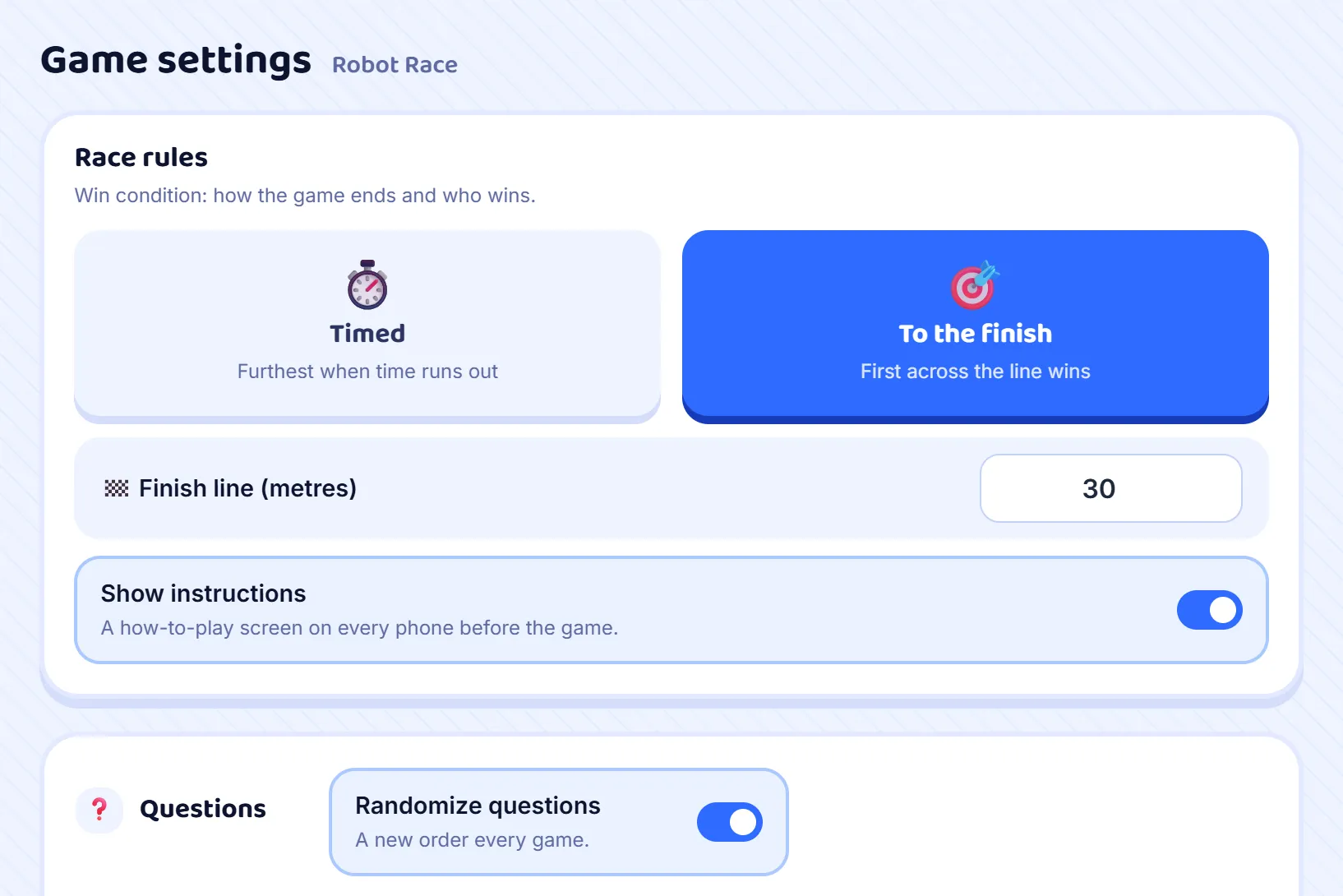
Press Host on a set and choose Robot Race from the game modes. Its own rules appear under Game settings. To the finish ends the race the moment one robot crosses the line, 30 metres to begin with, and you can set it from 5 to 150. Timed ends it when the clock runs out, and the robot that has run furthest wins; set the minutes, from 1 to 60. Leave Show instructions on for a class that has not played before: their phones explain the race before it starts. Randomize questions starts on in this mode, so every race asks the set in a new order.
Step 2: Open the room
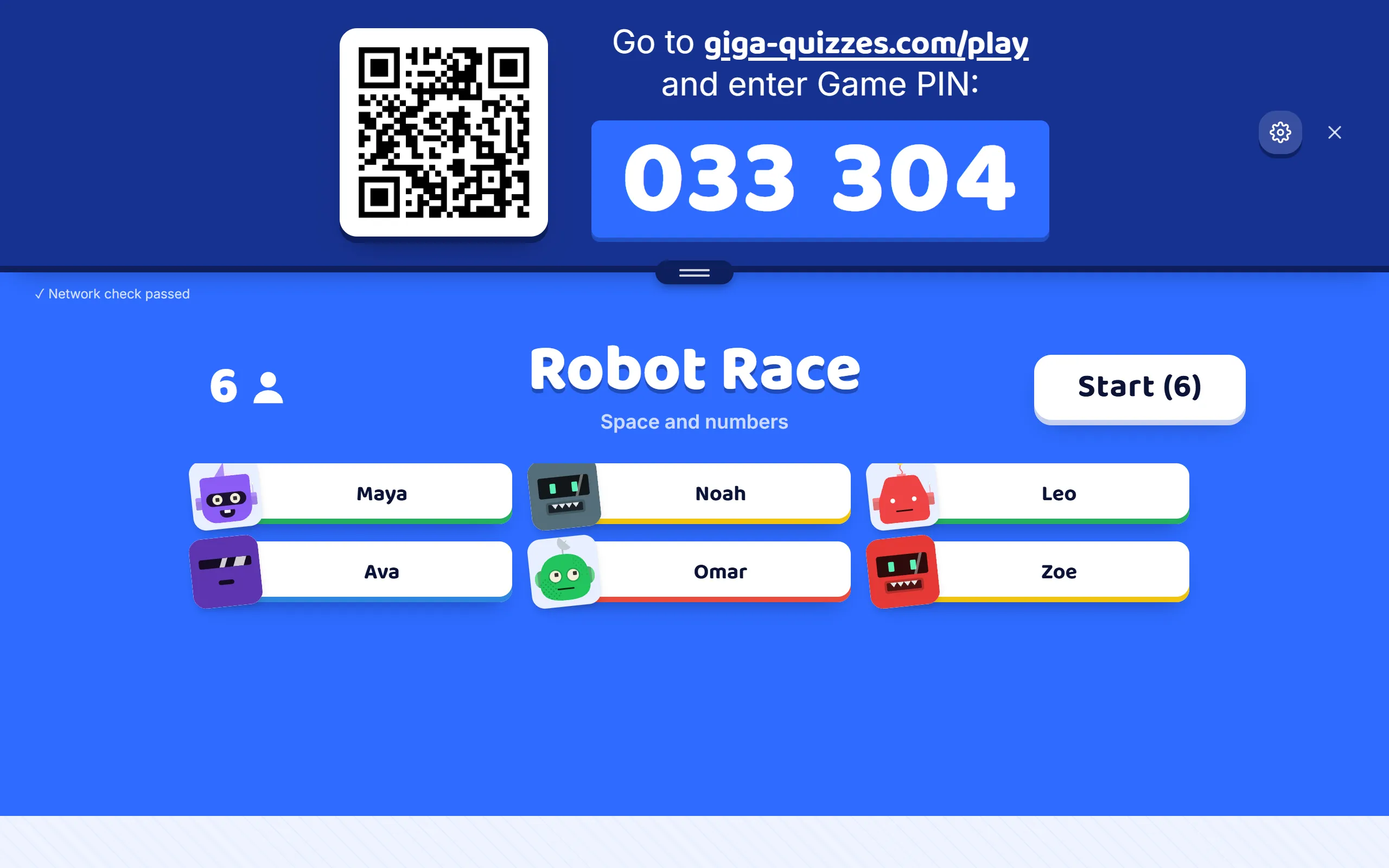
Press Start hosting and the lobby appears, the same one as in a Classic game: the room code, the QR code and the join address, with each player’s name and robot arriving as they come in. You can still change how the race ends here, until you press Start.
Step 3: Racers read how to play
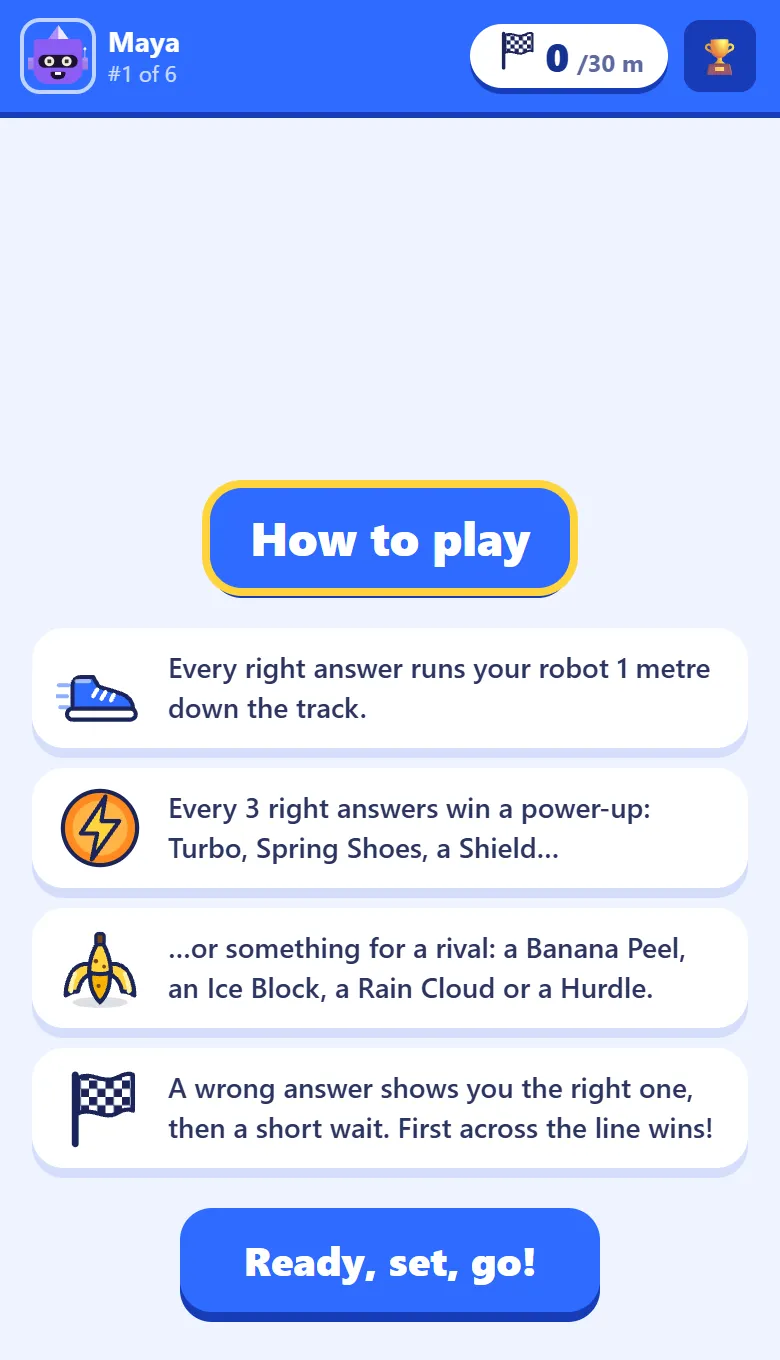
With Show instructions on, every phone opens on How to play: a right answer runs your robot a metre, every third one wins a power-up, some power-ups are for a rival, and a wrong answer means a short wait. The Ready, set, go! button unlocks after five seconds, so nobody skips it without a glance, and the phone moves on by itself after a minute.
Step 4: Answer to run
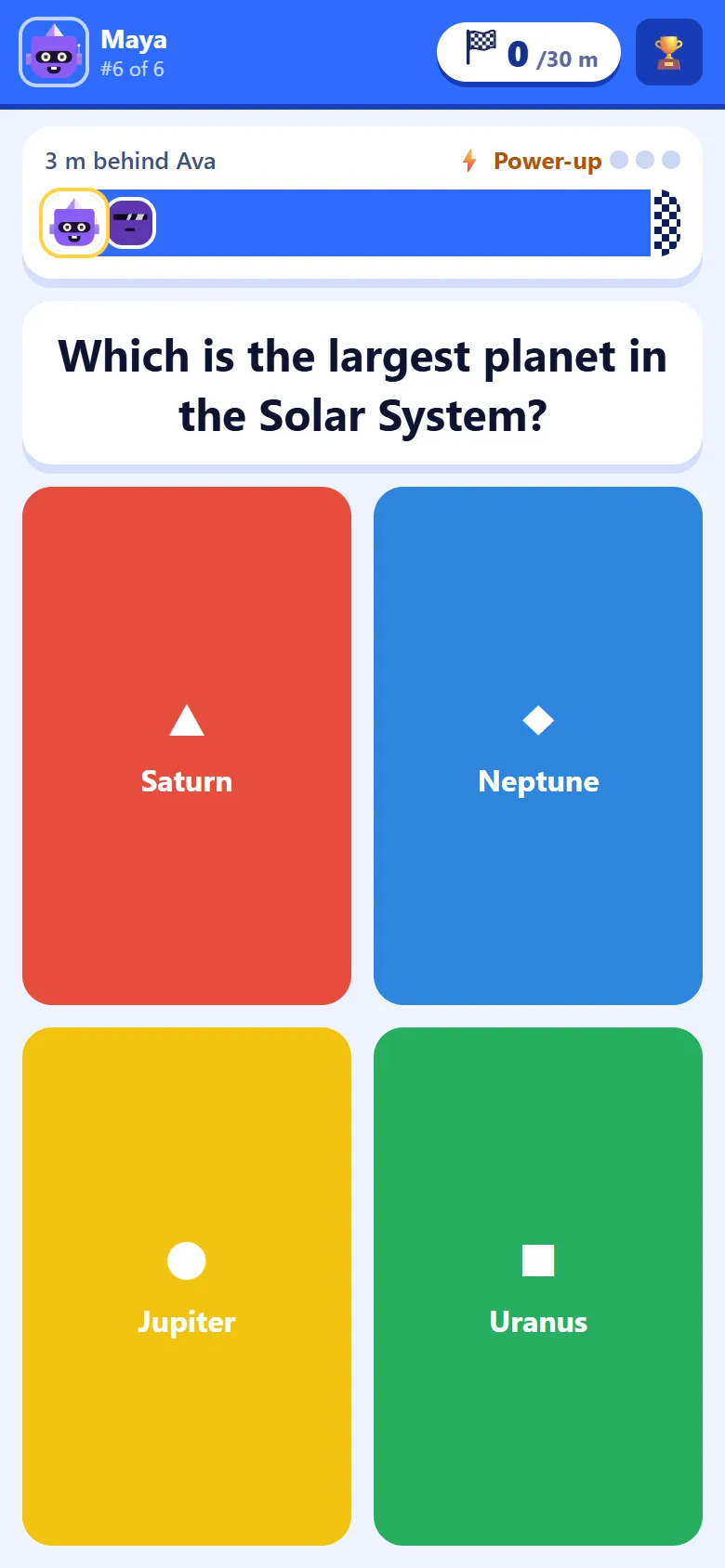
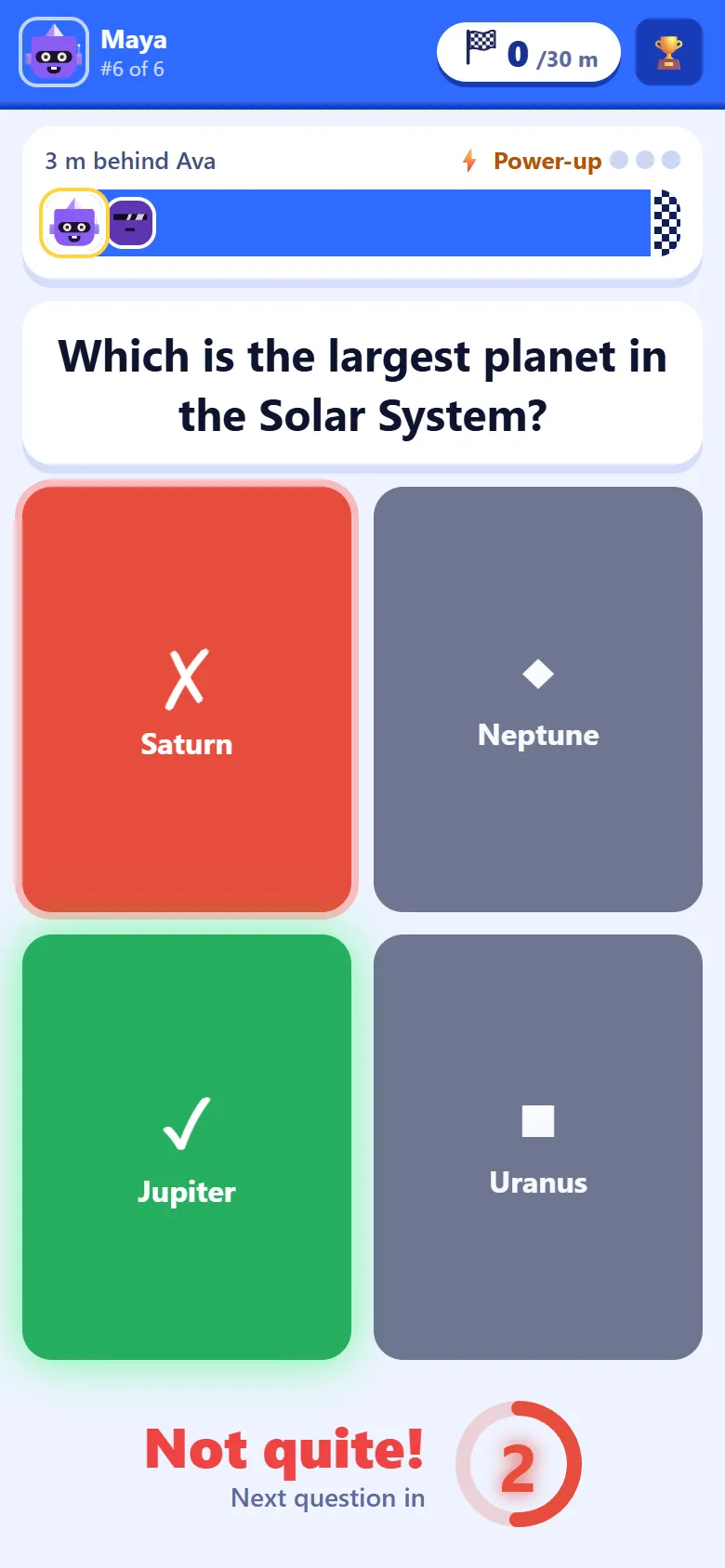
Then the questions start, on the phone itself, with no waiting for the class. Above each question, a small track shows the player’s own robot and how far behind the leader it is, and three dots fill towards the next power-up. The bar along the top shows the metres run (out of the finish line, in a race to it), the player’s place in the room, and the trophy that opens the leaderboard.
Step 5: A wrong answer costs three seconds
A wrong answer does not move the robot. The phone says Not quite! and marks the right answer (a typed answer is written out instead), so the player leaves knowing it, and a ring counts down three seconds before the next question: long enough to make guessing slower than thinking.
Step 6: Every third right answer wins a power-up
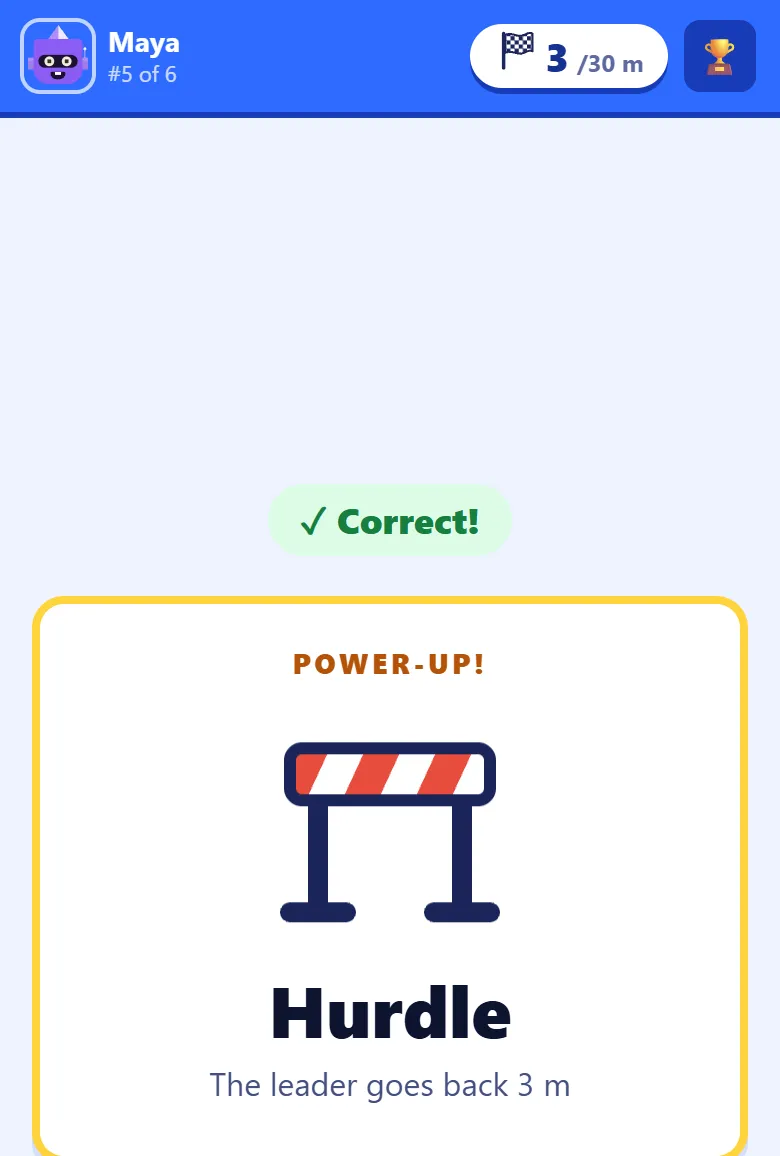
Three right answers win a power-up, shown on its own card with what it does. Some help the player: Sprint runs them one metre, Turbo four, Spring Shoes make their next three right answers count twice, and a Shield blocks the next hit on them. Others are for a rival: a Banana Peel sends someone back a metre, an Ice Block freezes them for seven seconds, a Rain Cloud sends the three racers just ahead back a metre, and a Hurdle sends the leader back three. The further behind a racer is, the likelier the big ones, and the leader never draws the Hurdle.
Step 7: Pick who slips
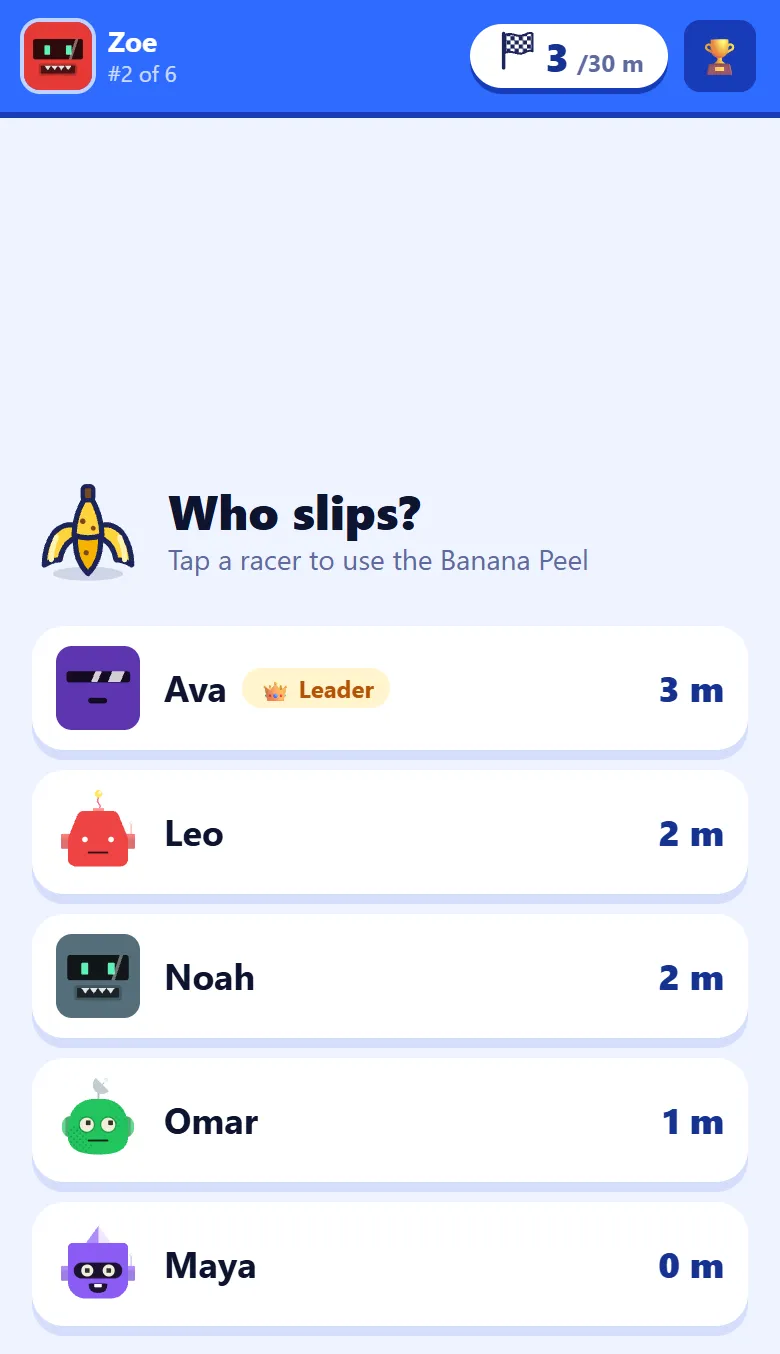
A Banana Peel or an Ice Block is aimed: the phone asks Who slips? or Who freezes?, and lists everyone else in the race, furthest first, with how far each one has run, so the leader is always at the top. A tap on a name uses it. A racer with a Shield up blocks it, and the Shield is used up.
Step 8: When a rival hits you
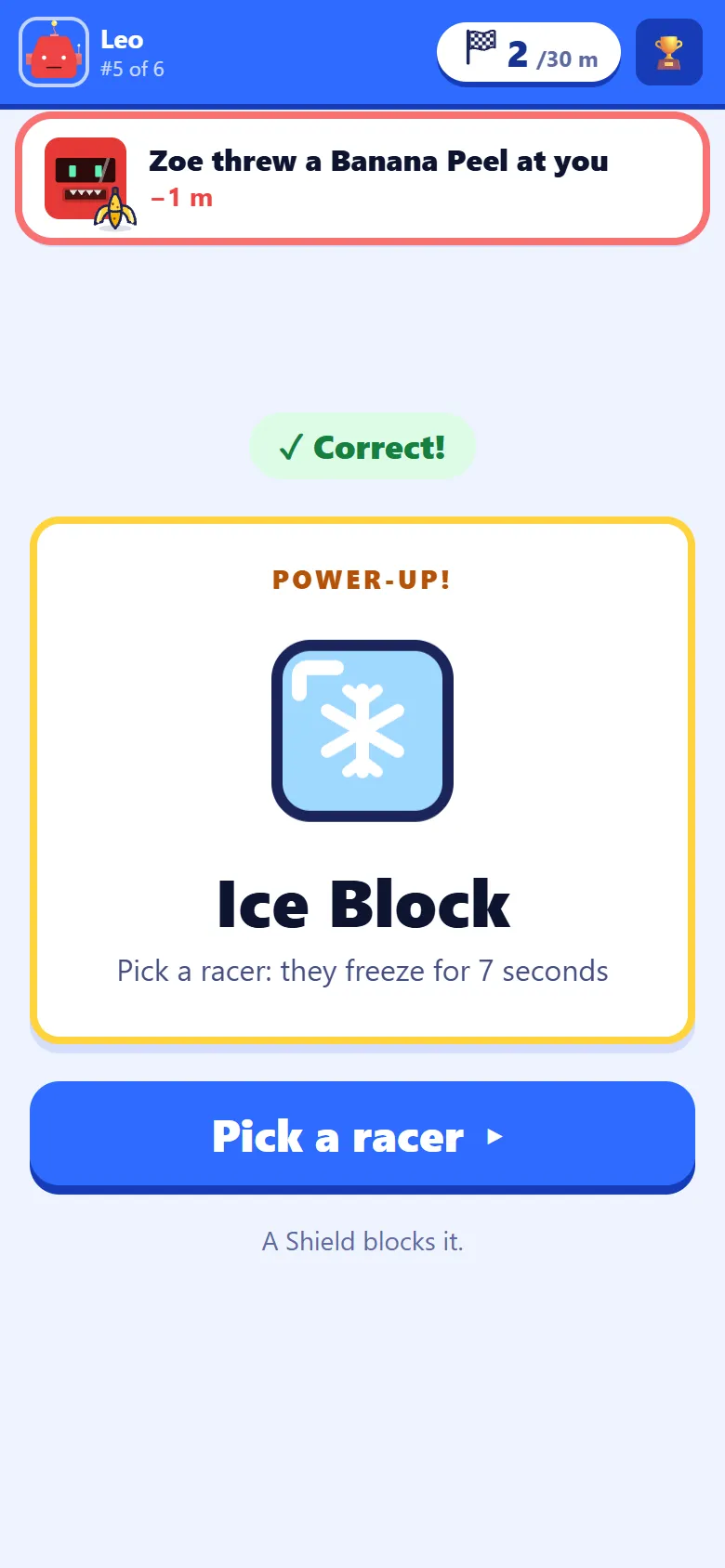
The racer who was hit sees a banner across the top of their phone, such as Zoe threw a Banana Peel at you, with the metres they lost. It does not stop them: they carry on answering, and the banner goes after a few seconds. When their Shield stops a hit, the banner says that instead.
Step 9: Frozen for seven seconds
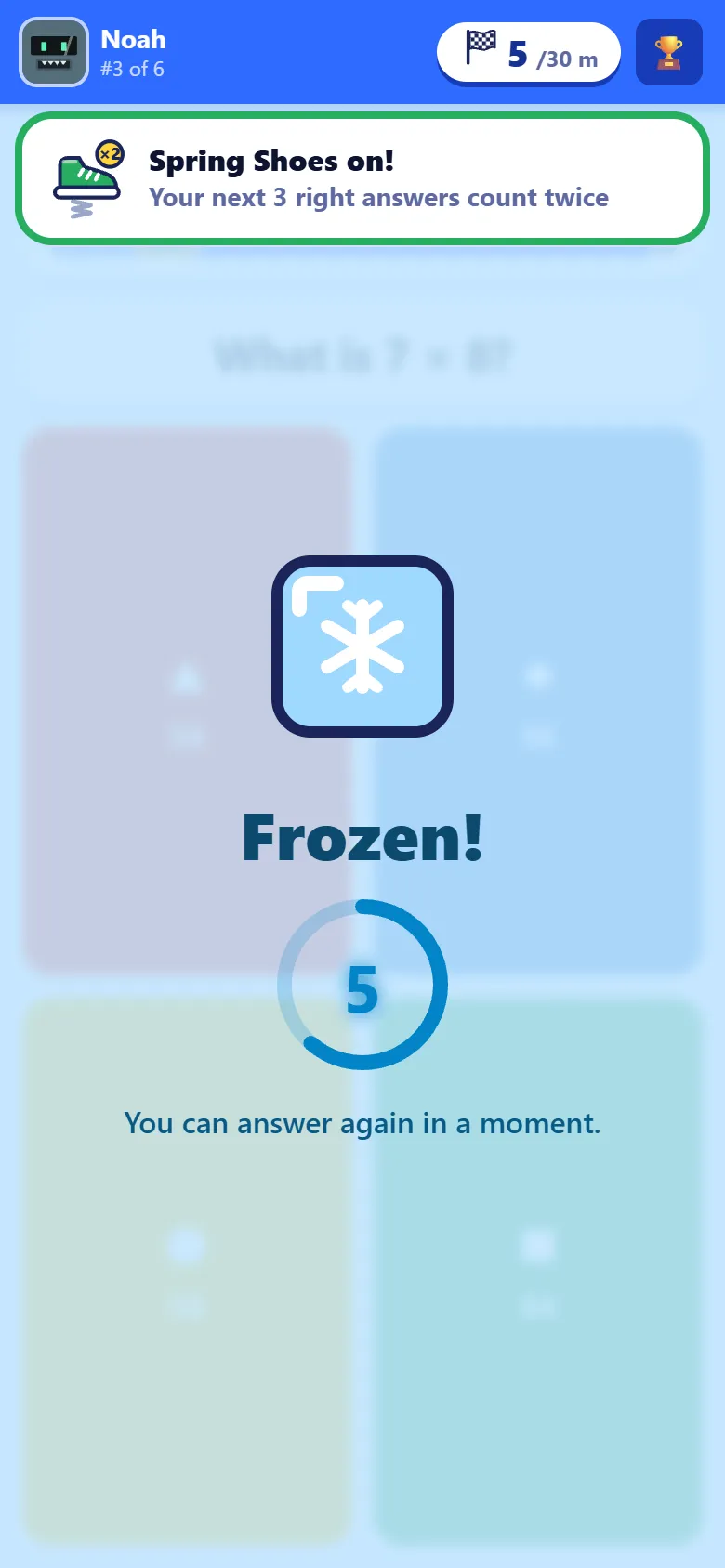
A racer hit by an Ice Block sees Frozen! over their question, with a ring counting down seven seconds. They cannot answer until it melts, and then the race carries on from where they were. It is the strongest thing one racer can do to another, and it never costs them a metre.
Step 10: The track on the room screen
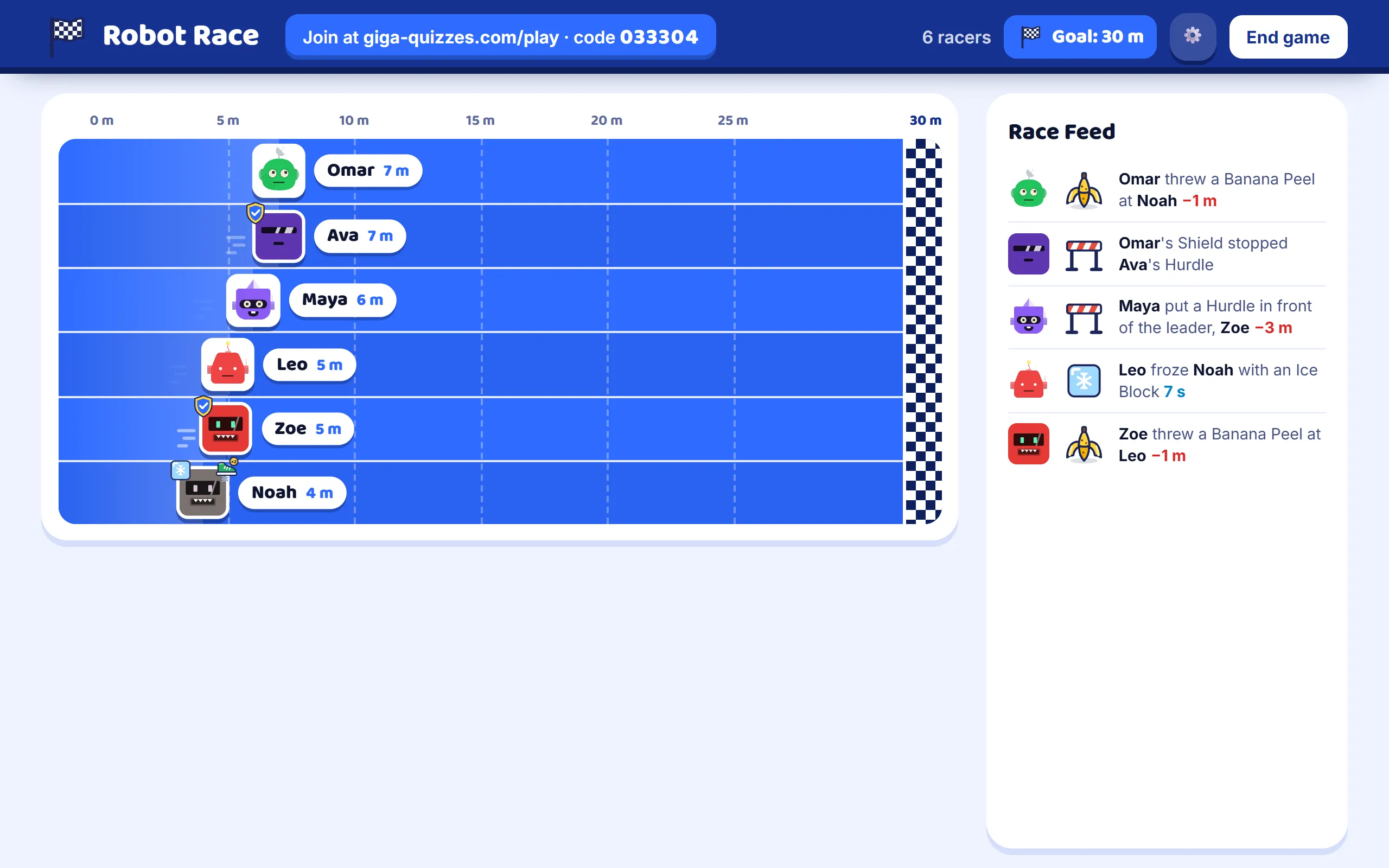
While the students race, the screen at the front shows the track: the leading eight robots in their own lanes with their metres, the finish line at the end, and, in a bigger class, everyone else in a strip under them. A robot with a Shield up or frozen shows it. The Race Feed beside the track lists every power-up as it is used, who used it and on whom. The goal or the clock is at the top, beside the join address. To stop early, press End game and confirm.
Step 11: Across the line
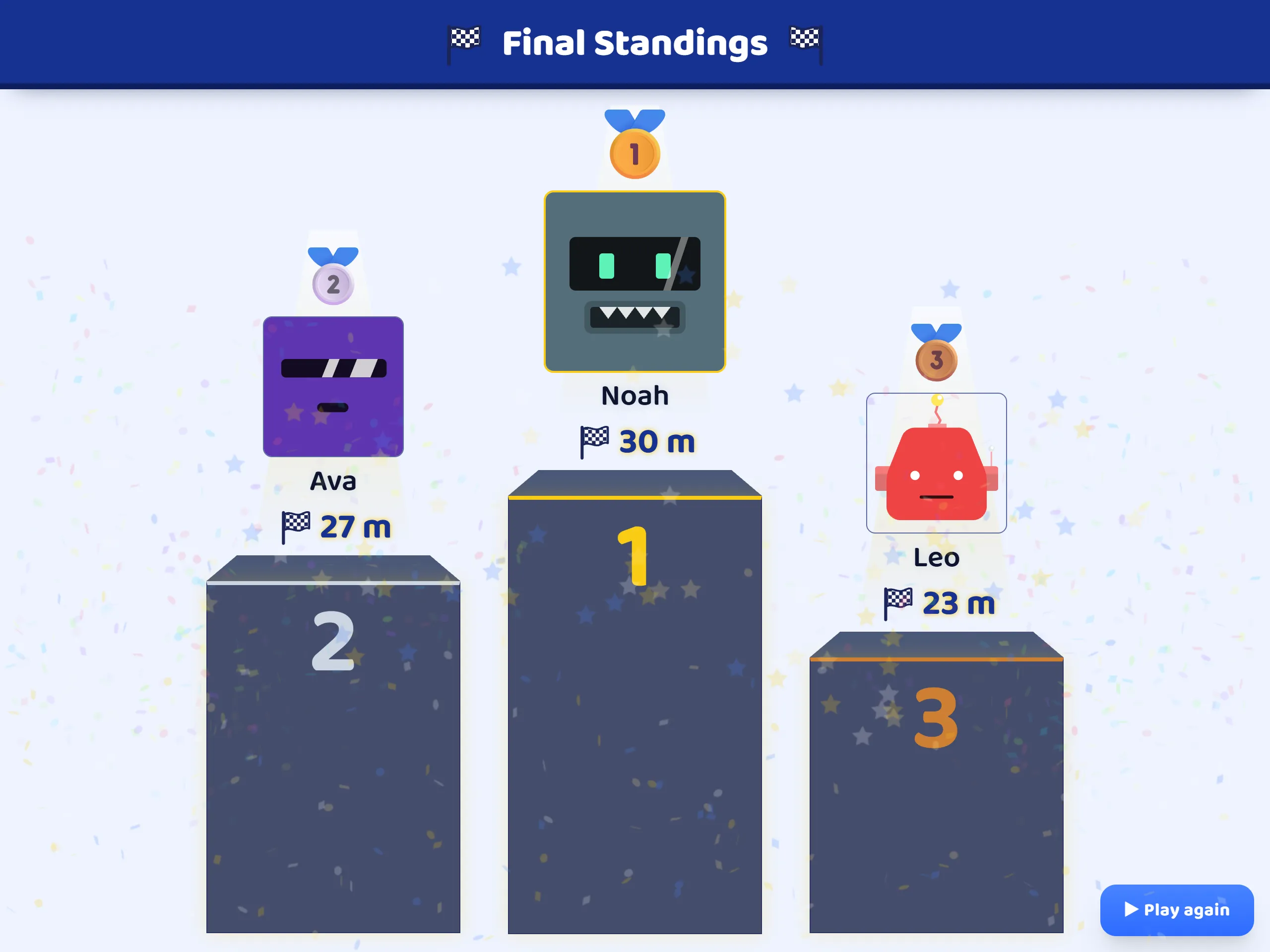
When a robot reaches the finish line, the clock runs out, or you end the race, the room screen shows the Final Standings: third, then second, then the winner, each with the metres they ran. In a race to the line, the winner is the robot that crossed it.
Step 12: Each racer’s result
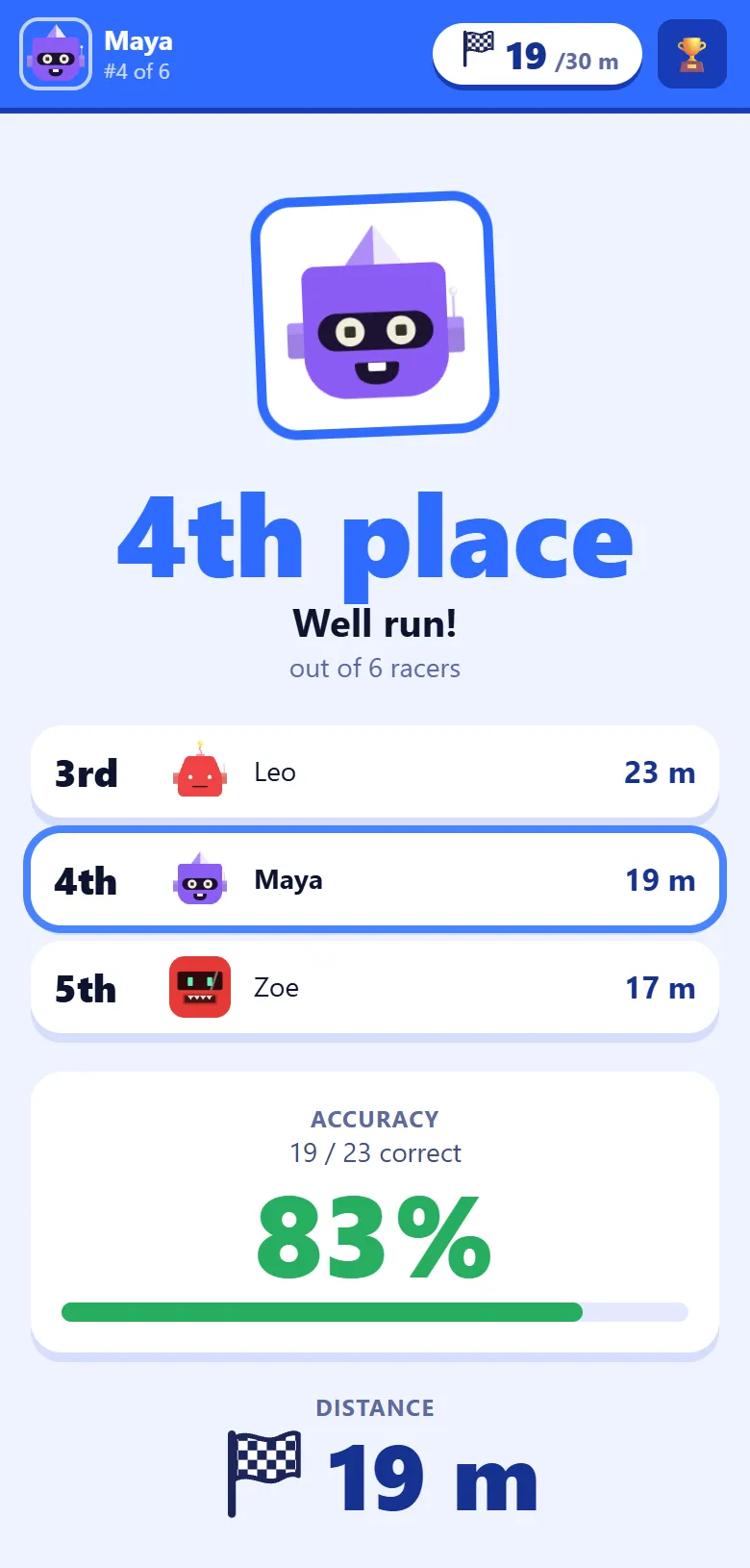
Each phone says The race is over! and points the player to the big screen while the podium plays. Then it shows their own place, the racers just above and below them, how many questions they got right, and the distance they ran.
Step 13: Read the results
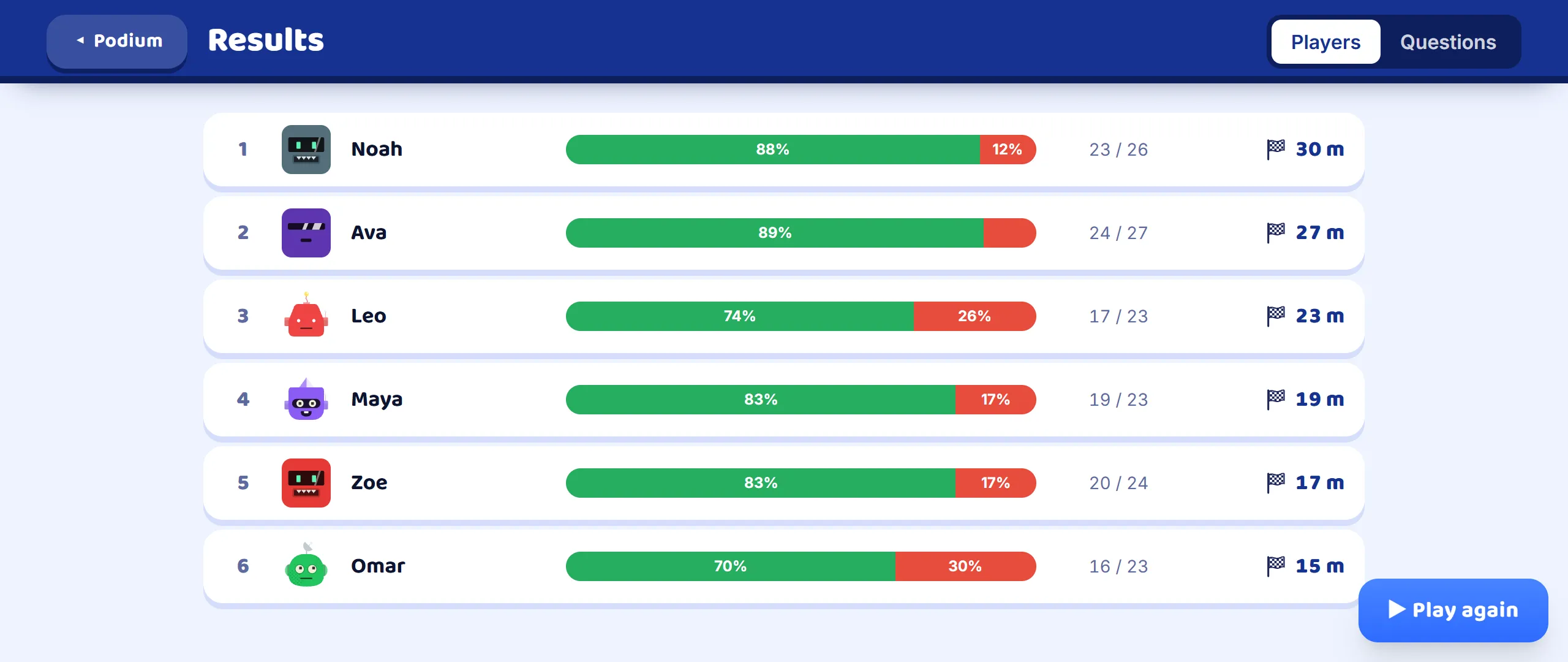
Press See results under the podium for the full results: every player with a bar of right and wrong answers, how many they got right out of how many they answered, and how far they ran. The Questions tab turns it round: how often each question was answered right across the whole room, which shows at a glance what the class has not yet understood.
Step 14: The report afterwards
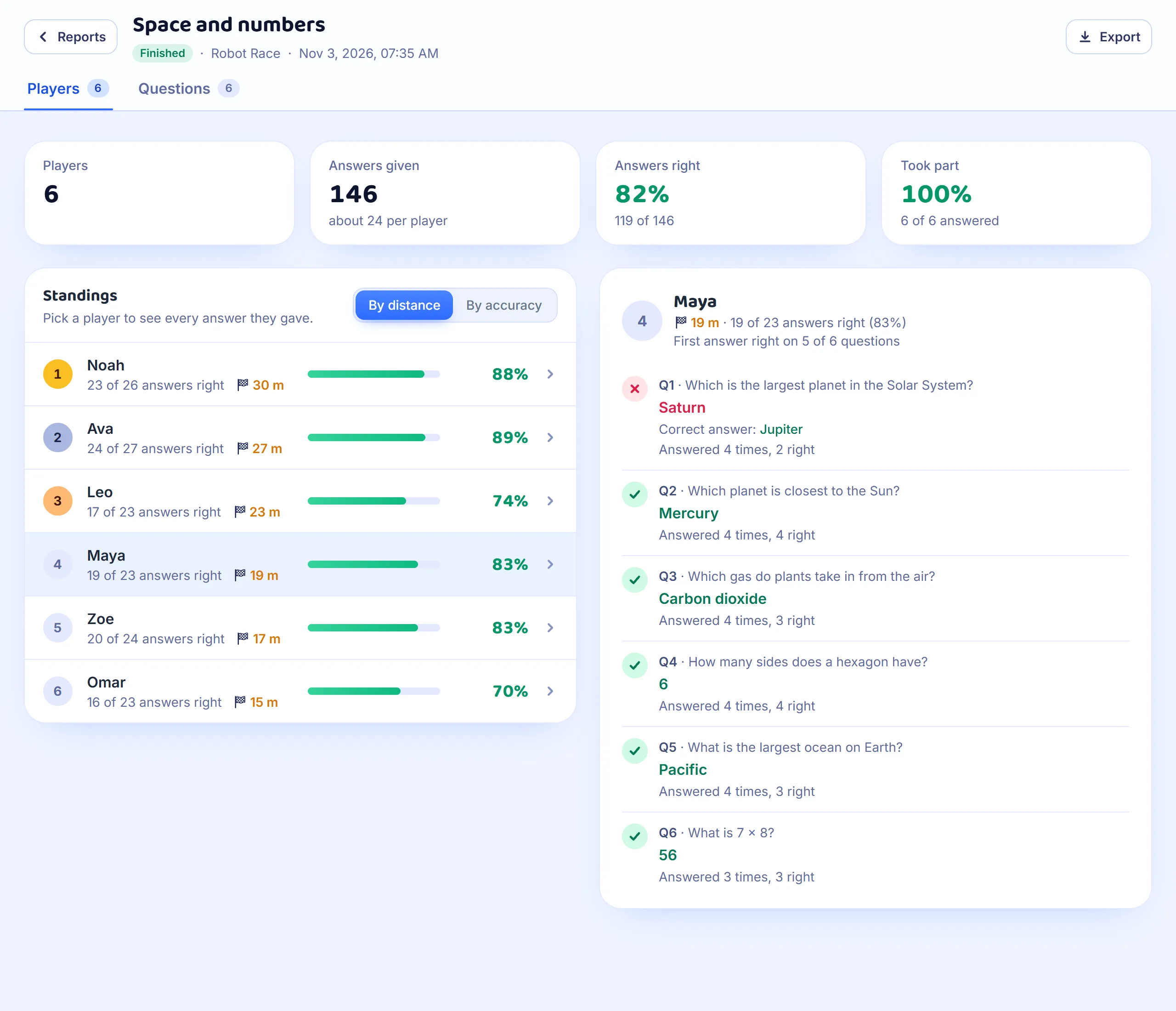
If you are signed in, the race is saved in Reports when it ends. Each student’s row shows the share of their answers that were right, with their metres beside it, and By accuracy puts the list in that order, since the power-ups also move robots. Pick a student to see every question: the first answer they gave, and, when the question came round again, how many times they answered it and how many of those were right.
Good to know
- Any set works, and every question type in it is asked the same way as in a Classic game. The questions come round again, so a short set of ten to fifteen keeps a race going.
- The join address and the code stay at the top of the room screen for the whole race, so a student who arrives late can still join. They start on the line.
- Robot Race has no teams: every robot runs for itself.
- The power-ups lean towards the back of the field: the further behind a racer is, the likelier a Turbo or a Hurdle for the leader. The race stays close, and nobody is out of it early.
- Only a right answer moves a robot, so the students who know the most still lead. Speed matters too, because the race is to the line.